- Details
-
Category: Networking
-
Published: Wednesday, 03 April 2024 00:19
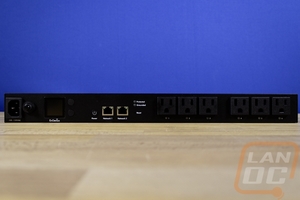
Over the last few years, I have been slowly upgrading our network. Some of it was just to clean things up but I have also been addressing issues that I have run into here and there as well. Most of that has been running smoothly but it seems like on the rare situations where I go on vacation or on a trip, that is when an issue will pop up and it always seems to require something to be restarted in person. That can be a little hard when you are 2000+ miles away. How do we address that? Well a Smart PDU can help, and EnGenius now has them. They sent over the ECP106, their 6-plug Switchable Smart PDU, and today I’m going to see what it is all about so let’s dig in!
Read more ...
- Details
-
Category: Audio
-
Published: Tuesday, 19 March 2024 18:54
Wired or wireless which do you prefer? In a perfect world, I prefer the audio quality of a wired headset but the convenience of wireless is worth it. You don’t have your cord getting in the way and you can keep your headset on even when you get up from your PC. Not to mention cord damage is one of the big failure points for a headset. Well, Corsair introduced their new HS80 Max Wireless headset last fall, improving on their original HS80 design with an impressive triple of its battery life. I haven’t seen what Corsair has to offer for headsets in a long time and I’ve got the HS80 Max in the office, let’s see what it’s all about!
Read more ...
- Details
-
Category: Storage
-
Published: Wednesday, 13 March 2024 14:40
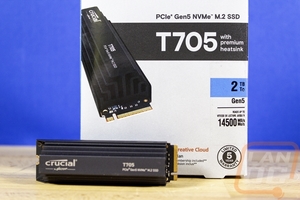
Last year Crucial impressed with their first PCIe Gen 5 SSD the Crucial T700. Its performance was extremely impressive even when compared to fast PCIe Gen 4 devices. Well here we are at it once again and Crucial is stepping things up again with their latest drive the T705. Like with the T700, the T705 comes in a version with a heatsink and one without but like with PCIe 4.0 drives and especially with a PCIe 5.0 drive, you are going to want to pair this up with either your motherboard M.2 heatsink or get the model with a heatsink. They do have a new white heatsinked model as well. Let’s dive into the new SSD and see what is different then put it to the test to see how it performs.
Read more ...
- Details
-
Category: Audio
-
Published: Friday, 08 March 2024 20:32
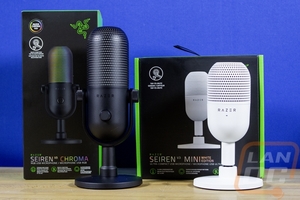
It’s kind of crazy to think but the last time I had a Razer desktop microphone in for review was back in 2015 when I took a look at the Razer Seiren Pro. That wasn’t Razer’s first desktop microphone but it was part of their first generation of Seiren microphones and Razer has continued to evolve their lineup in the last 9 years. Well, today they have updated that lineup with their new Seiren v3 models. That lineup consists of two different models, the Seiren v3 Chroma and the Seiren v3 Mini. The Seiren v3 Mini is their budget-friendly option and then the Seiren v3 Chroma is the larger flashier option. Today I'm going to check out both and see what they have to offer then put them to the test to see how they sound compared to the competition. I’m excited to see how their design has changed over the years and to see how these new microphones compare to the current competition like the Yeti Orb and Yeti GX that I took a look at last fall.
Read more ...
- Details
-
Category: Video Cards
-
Published: Monday, 26 February 2024 21:21
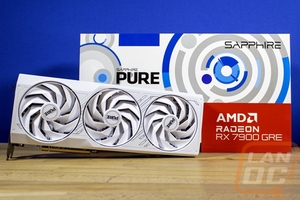
AMD launched, well relaunched their RX 7900 GRE today and I already took a look at the Hellhound that AMD sent over but Sapphire did also send their PURE RX 7900 GRE. I was a huge fan of the PURE the last time so I’m excited to see if their latest version is going to live up to that hype. One thing is for sure though, the PURE branding seems like it would be a great fit with the GRE which is aiming to get top level 1440p and solid 4k performance while keeping costs down. Let’s check out what Sapphire’s latest PURE has to offer and find out how it compares to the competition before these hit stores tomorrow morning.
Read more ...
- Details
-
Category: Video Cards
-
Published: Monday, 26 February 2024 16:26
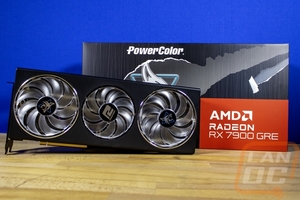
AMD’s GPU lineup started off with the RX 7900 XT and RX 7900 XTX models on the high end and later they filled in things with the RX 7800 XT and cards below that. But the gap between the RX 7900 XT and RX 7800 XT is a large one, especially with Nvidia having competition there with cards like the RTX 4070 Ti and the recently introduced RTX 4070 SUPER. Funny enough AMD has had a card between the RX 7800 XT and the RX 7900 XT, they just didn’t have it in most markets but that is changing. Today they are introducing the RX 7900 GRE which is a slightly cut down version of the RX 7900 XT and XTX helping to bridge that gap. This is only available in aftermarket cards so to check it out AMD sent over a PowerColor Hellhound RX 7900 GRE so we could put the new GPU to the test. So let’s dive in.
Read more ...
- Details
-
Category: Video Cards
-
Published: Tuesday, 20 February 2024 19:57
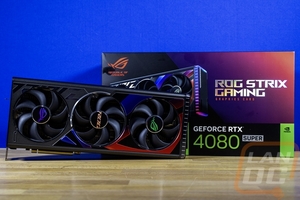
With the launch of the RTX 4080 SUPER, I took a look at the Founders Edition to check out the performance of Nvidia’s new GPU. The Founders Edition cards however aren’t available from some retailers and you might find yourself looking at other options. Lucky for us Asus sent over their ROG Strix RTX 4080 SUPER to check out. I’ve had the chance to check out a few of their TUF cards recently and have been extremely impressed with them but I haven’t had any of their ROG cards in the office for a while now. Today I’m going to take a closer look at the ROG Strix RTX 4080 SUPER to check out what Asus is doing differently here then we can put the ROG Strix RTX 4080 SUPER through our test suite and see how it performs.
Read more ...
- Details
-
Category: Video Cards
-
Published: Wednesday, 31 January 2024 09:10
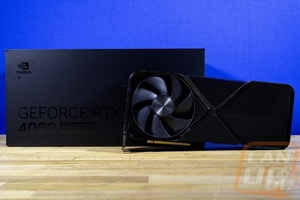
With Nvidia’s CES announcements, they announced three different GPUs all with the previously used SUPER designation. I took a look at the RTX 4070 SUPER as well as the RTX 4070 Ti SUPER but the crown jewel in all of this was of course the RTX 4080 SUPER. The RTX 4090 is still the flagship GPU from Nvidia nothing has changed there, but the RTX 4080 has always really been the gaming flagship with the RTX 4090 being there for people who want to show off and anyone who needs mind-blowing compute performance. So the introduction of the RTX 4080 SUPER was an exciting one especially with the new model coming in $200 less than the RTX 4080’s launch price which was a point of contention for a lot of people at its launch. So today I’m excited to dig in and see what sets the Nvidia RTX 4090 SUPER Founders Edition apart and see how it performs before we figure out how it fits in the ever-changing GPU market.
Read more ...
- Details
-
Category: Video Cards
-
Published: Wednesday, 31 January 2024 00:21
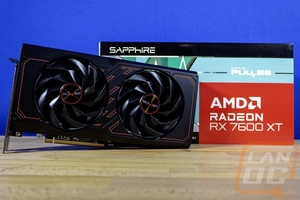
Last year when I took a look at the Sapphire Pulse RX 7600 I was impressed with Sapphire’s design which while not as small as the reference AMD design was still compact where most other aftermarket cards weren’t. That seems to be the same this time around with the launch of the RX 7600 XT and Sapphire sent over their new Pulse RX 7600 XT OC. It looks to have a similar compact design which should be a lot smaller than the XFX RX 7600 XT that I already took a look at, so I am excited to see if that is the case and find out how well it performs. The RX 7600 XT is targeted at 1080p performance and has doubled up on the VRAM of the original RX 7600 along with higher clock speeds. 1080p is still the most used resolution with 59% of Steam users using it, why spend even more for a high-end video card if you won’t be able to take advantage of the extra power? Today I’m going to find out if the Sapphire Pulse RX 7600 XT OC is the new sweet spot card, let’s dig in and find out!
Read more ...
- Details
-
Category: CPU's
-
Published: Tuesday, 30 January 2024 19:48
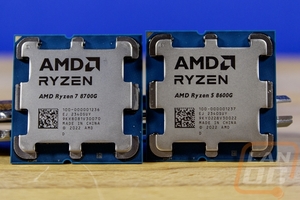
It’s been a surprisingly busy 2024 with a list of different GPU launches that were all announced at CES. AMD didn’t just announce the RX 7600 XT at CES however, they also introduced a new line of CPUs their Ryzen 8000G Series, and a few new SKUs in the older Ryzen 5000 Series as well for AM4 users. Today I’m going to check out two of the new 8000G Series CPUs, the Ryzen 7 8700G and Ryzen 5 8600G which will be hitting stores on the 31st. They are Zen 4 CPUs with upgraded integrated GPU capabilities including AI processing as well with an integrated NPU on both the 8700G and 8600G. Onboard graphics performance is an area that we always test and keep an eye on with included so I’m excited to see what AMD’s promise of “fastest built-in graphics in its class” will mean for actual gameplay so let’s dive in and see what they are capable of.
Read more ...
- Details
-
Category: Video Cards
-
Published: Wednesday, 24 January 2024 09:06
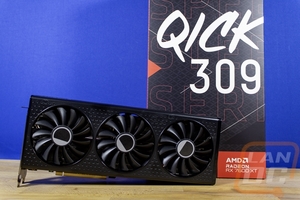
At CES this year we saw announcements from both Nvidia and AMD for upcoming GPUs and CPUs from AMD as well. With CES out of the way, we are starting to see things warm up with launches last week and yesterday from Nvidia. Well, Nvidia isn’t the only one bringing things out and today AMD has their new Radeon RX 7600 XT which they announced at CES. Today I’m going to check out the new card which slides in above the RX 7600 which came out last May. This isn’t a high-end card like the 4070 Ti SUPER that I covered yesterday, but is a lot more realistic in pricing and performance for the average user so I’m excited to see how the 7600 XT performs and see how it fits in for pricing. To test it out XFX sent over their Qick319 RX 7600 XT Black we can see what they have going on as well!
Read more ...
- Details
-
Category: Video Cards
-
Published: Tuesday, 23 January 2024 09:02
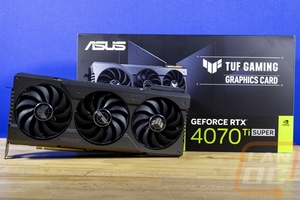
Last week I took a look at the first of Nvidia’s new SUPER lineup, the RTX 4070 SUPER which improved on the original RTX 4070’s performance getting closer to the RTX 4070 Ti’s performance. Nvidia also announced the RTX 4070 Ti SUPER and RTX 4080 SUPER cards at CES this year as well and today is the day that we can check out the RTX 4070 Ti SUPER before it hits stores tomorrow. Is the new card worth the upgrade for those who didn’t upgrade with the 4000 Series launch, today I’ll find out how it performs and where the RTX 4070 Ti SUPER fits in today's market. We also get a chance to check out what ASUS is up to as our card is a TUF Gaming model, so let’s dive in!
Read more ...
- Details
-
Category: Video Cards
-
Published: Tuesday, 16 January 2024 09:01
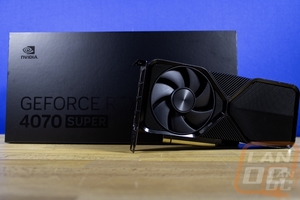
Nvidia introduced a refreshed 2000 Series lineup back in 2019 with models having a SUPER designation at the end and here we are 5 years later and this year at CES they did that once again with their 4000 Series of cards, skipping the 3000 Series. Their CES press conference announced the new RTX 4080 SUPER, RTX 4070 Ti SUPER, and the RTX 4070 SUPER. The last of which goes on sale tomorrow January 17th but ahead of that we have the chance to take a look at the Nvidia Founders Edition of the RTX 4070 SUPER to see what it is all about so let’s dive in.
Read more ...
- Details
-
Category: Photography
-
Published: Wednesday, 03 January 2024 14:45
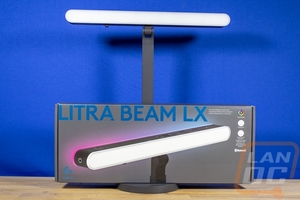
Alongside Logitech’s introduction of their new Yeti microphones which I recently took a look at, they also introduced the new Logitech G Litra Beam LX. Litra, like Blue Microphones, was a company acquisition by Logitech back in 2021. Litra was an LED lighting company with a focus on adventure lighting. The Litra product lineup continues that lighting tradition, but it won’t be a surprise to anyone that Logitech has been integrating all of that into their brand with a focus on lighting for when you are at your PC for streaming and remote work. They have brought out a few products, the new Litra Beam LX isn’t the first at all, but it does expand on their previous product the Litra Beam. The Litra Beam has bi-color lighting, and the LX adds RGB backlighting as well to fit in with the traditional “streamer” or “gamer” look in your office. Having never taken a look at any of the Litra lineup I’m excited to not only see what is new about the LX but also get the full Litra experience. So let’s dive in and see what it is all about!
Read more ...
- Details
-
Category: Cooling Hardware
-
Published: Thursday, 21 December 2023 01:27
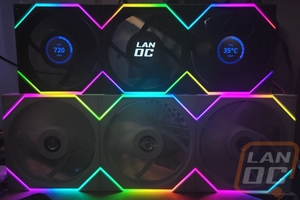
While I do like the Lian Li Uni Fans for their ability to be linked together and cut down the amount of wiring needed with RGB fans. But their best feature is the variety of options that Lian Li has. They seem to be always expanding the product stack and they are at it once again, this time with their new Uni Fan TL fans. The TL lineup has 24 different SKUs with both 120 mm and 140 mm options in black and white and with regular or reverse airflow variations. On top of all of that, they have the standard Uni Fan TL as well as Uni Fan TL LCD which they teased earlier this year at Computex. They also have triple packs available with all of the 120 mm sized variations. Today I’m going to check out a triple pack of the LCD model along with three of the 140 mm standard TL options as well to see what they are all about.
Read more ...
- Details
-
Category: Cooling Hardware
-
Published: Thursday, 07 December 2023 15:29
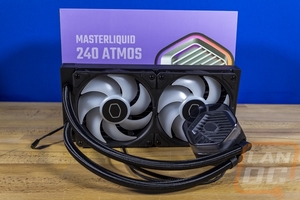
Cooler Master is one of only a few companies that has been designing their own all-in-one cooler designs, even going as far as having a very public lawsuit with Asetek. Because of that though they have a wide selection of cooler designs and are always evolving. The latest in their cooler designs is the MasterLiquid Atmos line of coolers which has a unique hexagon-shaped pump housing and even a pump top that can be customized with 3D printed designs. Today I’m going to check out the MasterLiquid 240 Atmos and see what it is all about and check out its performance. Is it your next water cooler? Let’s find out.
Read more ...
- Details
-
Category: Networking
-
Published: Tuesday, 21 November 2023 13:26
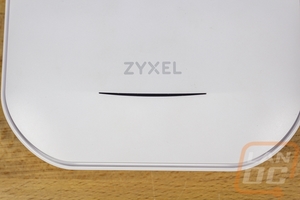
Zyxel Networks is part of Zyxel Group which was established in Taiwan back in 1989 and the Zyxel Networks brand was split off from the Zyxel Communications subsidiary in 2019. The Zyxel Communications side of things focusing on hardware for service providers and Zyxel Networks focusing on network hardware for businesses but they do also have routers, access points, and powerline products for the home as well. Today I’m going to check out the Zyxel NWA220AW-6E which is part of their business lineup, a WiFi 6E capable PoE access point that is designed for upgrading or adding in capacity in high-density WiFi situations with its bandflex radio.
Read more ...
- Details
-
Category: Pc-hardware
-
Published: Wednesday, 08 November 2023 13:53
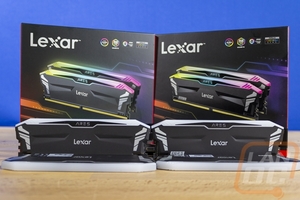
The other half of Lexar’s recently announced additions to their gaming lineup comes in the form of their Lexar ARES lineup for RAM. They have introduced new DDR3 and DDR5 RGB memory kits and I’ve got one of each in today. DDR5 prices have come down and both AMD and Intel have support for them but Intel still has the option to run DDR4 with their chipsets and of course, you have all of the older chipsets as well that need DDR4. So it’s great to see that Lexar hasn’t forgotten DDR4 this launch. They have had RGB kits in the past with their Hades lineup that I previously took a look at. Today I’m going to see what the ARES kits have to offer, let’s get to it!
Read more ...
- Details
-
Category: Cooling Hardware
-
Published: Friday, 03 November 2023 00:32
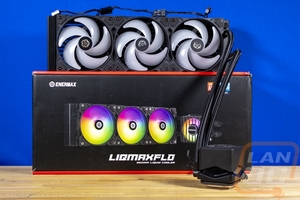
This past June I finally caught up with Enermax, checking out their Aquafusion Adv coolers, and was impressed with their performance. Well, today they have introduced their latest AIO cooler lineup, the LIQMAXFLO AIO Series which has an integrated VRM cooling fan on top of their pump/waterblock to help with cooling your VRM which can be an issue when you don’t have additional cooling through your case. The LIQMAXFLO lineup has a standard 27 mm radiator thickness model with their LIQMAXFLO SR models and then the LIQMAXFLO that we have in to test today which has a thicker 38mm radiator which is thicker even than the 32mm Lian Li Galahad II Trinity Performance that I previously took a look at. So I’m excited to see how that affects performance.
Read more ...
- Details
-
Category: Power Supplies
-
Published: Friday, 06 October 2023 16:02
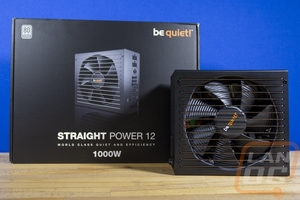
The Be Quiet! Straight Power 12 isn’t the first Be Quiet! power supply we have had in the offices. In fact, I’ve had a lot of experience with them, and are running a Dark Power in our main test bench because Be Quiets! priorities line up well with my own. They value quality, efficiency, and aim to keep noise to a minimum. Their Straight Power 12 lineup was announced back in June and it sits behind the Dark Power lines with a Platinum 80 Plus rating. This is a lineup targeted at users and builders who want efficiency and features but don’t need to go completely on the high end with the Dark Power lineup. Today I’m going to take a closer look at that Straight Power 12 1000 watt and see what it has going on.
Read more ...